Vector Database and RAG
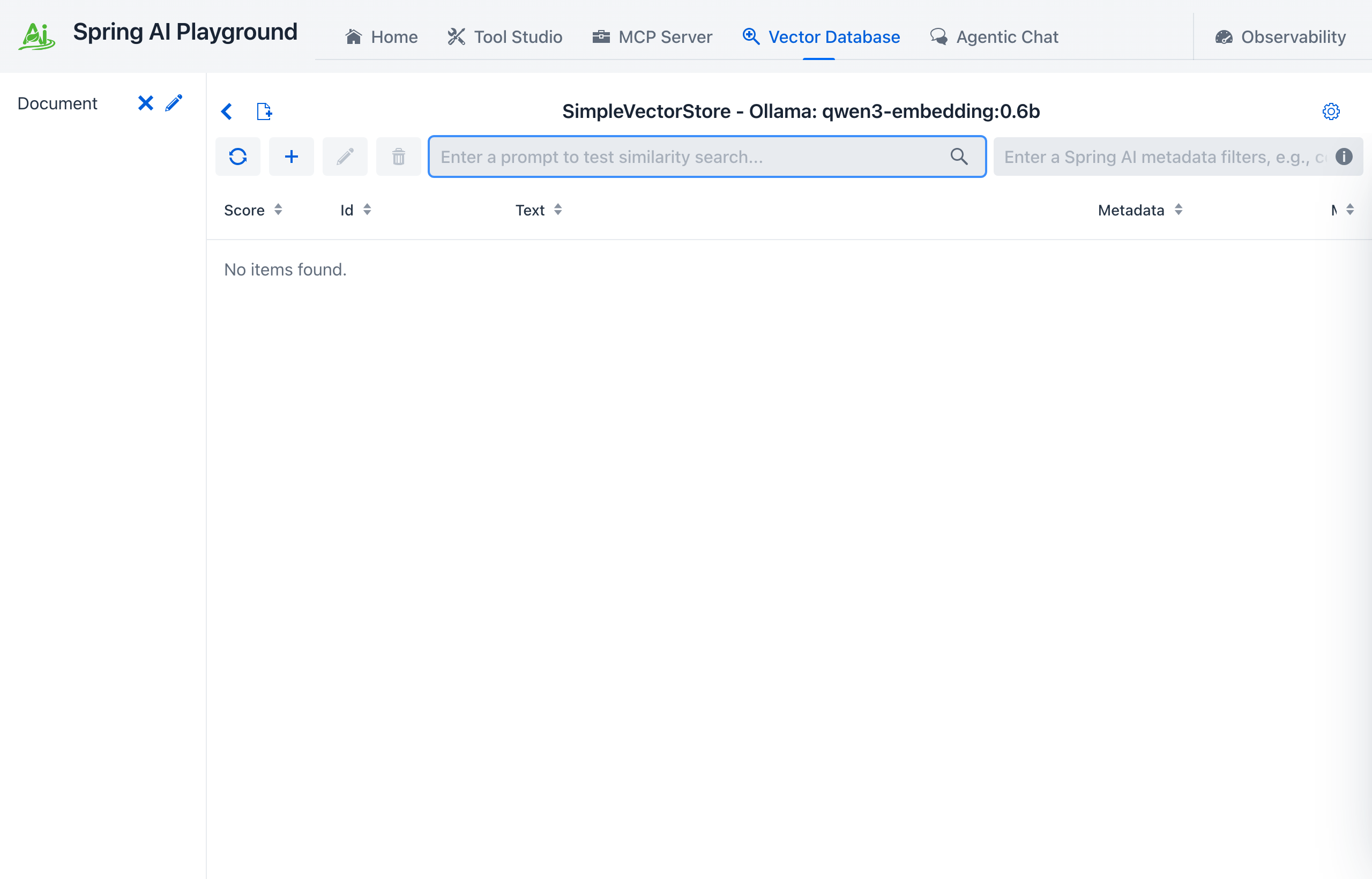
Where: top navigation → Vector Database.
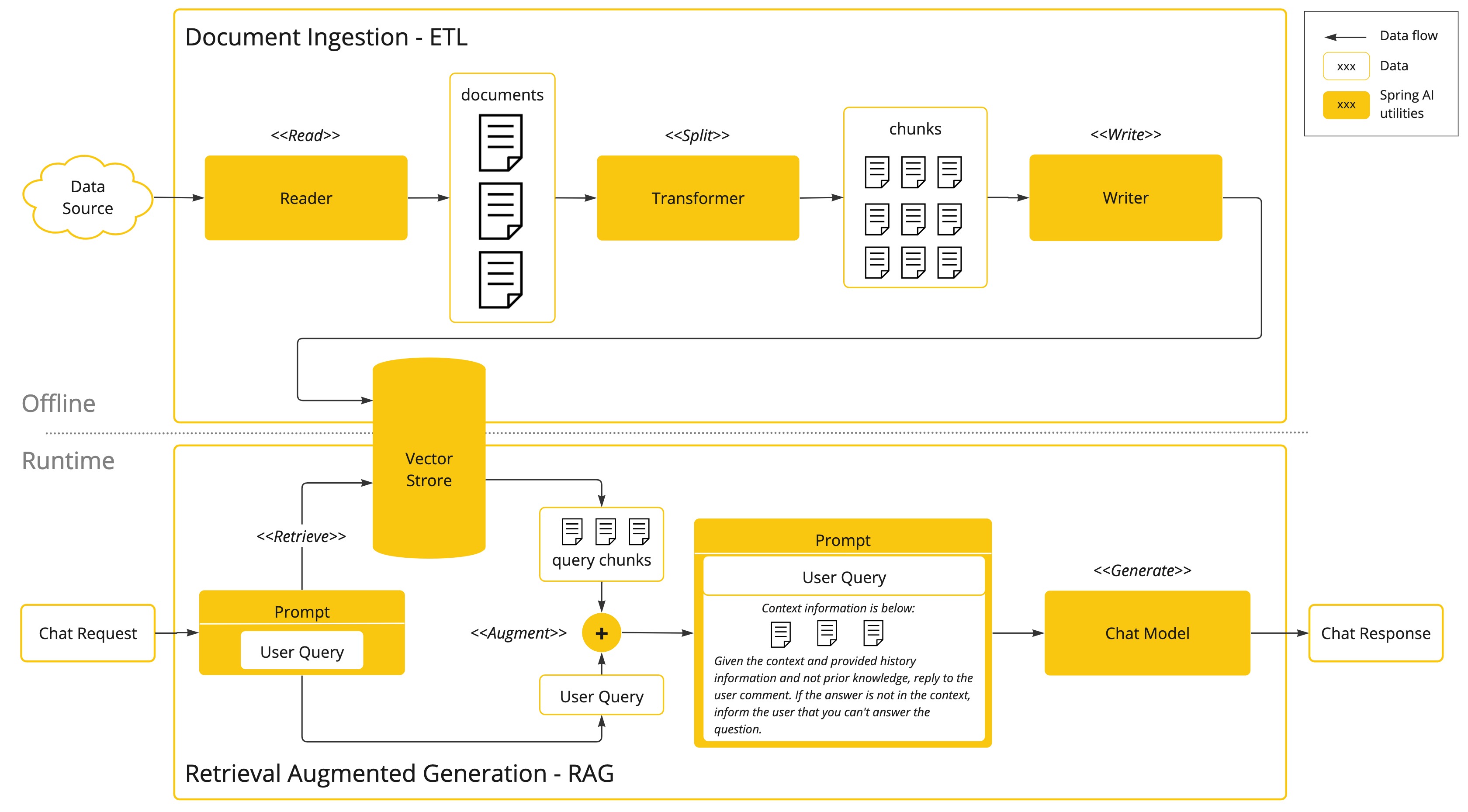
Retrieval Augmented Generation has two halves, and Spring AI models them as two separate APIs. The Playground keeps that split visible instead of hiding it behind a single "upload and chat" button.
| Half | What it does | Spring AI API | Where in the app |
|---|---|---|---|
| Offline | Turn source files into embedded, searchable chunks | ETL Pipeline (DocumentReader → DocumentTransformer → DocumentWriter) |
Vector Database → New Document & ETL Pipeline |
| Runtime | Turn a user question into grounded context for a model | Modular RAG (pre-retrieval → retrieval → post-retrieval → generation) | Vector Database → Pipeline Studio, consumed in Agentic Chat |
The Spring AI model
Spring AI implements Modular RAG, an architecture that treats retrieval as a set of interchangeable parts rather than one fixed procedure. The design follows Modular RAG: Transforming RAG Systems into LEGO-like Reconfigurable Frameworks, and the framework organizes those parts into four stages:
- Pre-Retrieval reshapes the incoming question before it ever reaches the vector store.
- Retrieval performs the similarity search and joins results when there is more than one query.
- Post-Retrieval re-orders or trims the candidate documents.
- Generation assembles the retrieved documents and the question into the final prompt.
The reference calls the simplest configuration Naive RAG: search, then answer. Adding a query transformation step in front of retrieval makes it Advanced RAG. Both are the same flow with different modules enabled, which is exactly what a saved pipeline in this app represents.
Every stage in the Playground's pipeline wizard is one of these Spring AI components. Nothing is reimplemented: a checkbox in the wizard turns on a specific framework class, and the Pipeline Studio page lists that mapping in full.
What this area is for
RAG fails quietly. A wrong chunk boundary, a mismatched embedding model, or a similarity threshold set too high produces an answer that reads fine and is not grounded in anything. This screen exists so each of those failures becomes visible before chat depends on it:
- confirm ingestion completed and inspect the chunks it produced
- run similarity search directly and read the scores
- narrow results with a Spring AI metadata filter expression
- test a full retrieval pipeline against the same executor that chat uses, so the test result and the chat result cannot diverge
- catch an embedding-model change that invalidated existing vectors
That last point is why the desktop launcher warns before you switch embedding models on a populated store.
Vector store providers
The Playground uses the standard Spring AI VectorStore abstraction, so the surface works against any supported provider without application code changes. The default is SimpleVectorStore, an in-process store that keeps setup to zero.
Spring AI supports Apache Cassandra, Azure Cosmos DB, Azure Vector Search, Chroma, Elasticsearch, GemFire, MariaDB, Milvus, MongoDB Atlas, Neo4j, OpenSearch, Oracle, PostgreSQL/PGVector, Pinecone, Qdrant, Redis, SAP Hana, Typesense, Weaviate, and others. Swapping one in is a dependency plus configuration change; see Configuration.
Where to go next
- Offline: Indexing - readers, splitters, and metadata enrichers, and which Spring AI class each control maps to
- Pipeline Studio - authoring a Modular RAG pipeline and testing it against the real executor
- Runtime: RAG in Chat - selecting a pipeline in Agentic Chat and reading the retrieval trace
- Chat Attachments - files dropped on the chat prompt, routed by size, and registered here with one click
Hands-on paths:
- Tutorial 3 - Index a Document - ingestion and retrieval validation end to end
- Tutorial 5 - Chat with RAG - consume the indexed corpus from chat, then upgrade it to a staged pipeline
- Tutorial 6 - Tools and RAG - grounded retrieval and MCP tool calls in one turn
- Tutorial 17 - Attach a Document and Ask - the instant route: drop a file on the chat prompt, then register it here
Embedding-model setup is done at launch time; see Desktop App → Recommended First-Launch Flow.