Shipyard Architecture
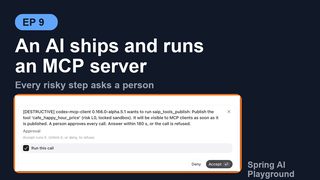
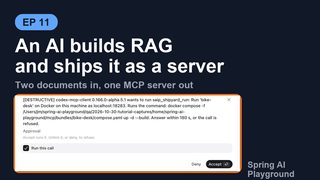
The workbench vets things: a tool earns its Local Pass, an external server's tool is risk-scored and composed, a document is chunked and embedded. Shipyard is where vetted things leave. It packs tools, proxied tools and RAG knowledge into a bundle, builds one Docker image from it, and runs a server that answers any MCP client without the playground.
The design rule is that the server you run is the app you tested. The bundle is a manifest plus a frozen copy of the app's home folder; the image is the app's own jar on top of that folder; the container boots the same code paths, with the management tools and the workbench off and every integrity check on.
Pages this architecture connects to:
- Shipyard - the screens: ship flow, server page, run dialog, targets, connect snippets
- AI Operations - the
saip_shipyard_*andsaip_knowledge_*tools an external AI ships with - Human-in-the-Loop Approval - the gate a shipped tool carries into the container
- MCP Server Safety - the risk cap and fingerprints proxied tools keep when shipped
- Vector Database and RAG - the pipelines and documents a knowledge tool freezes
- Configuration - the
spring.ai.playground.shipyard.*keys - Application - where Shipyard sits in the runtime layers
Overview
flowchart LR
subgraph ENTRY["Three entry points, one request"]
UI["Shipyard screens<br/>ShipFlowView · RunPlanDialog"]
CONF["Configuration<br/>shipyard.servers[]"]
AI["External AI<br/>saip_shipyard_*"]
end
REQ["ShipRequest"]
subgraph EXPORT["BundleExportService"]
VAL["validate: blockers, warnings,<br/>env requirements, tool list"]
CONTRIB["BundleContribution x3<br/>tools · proxied · knowledge"]
ART["BundleArtifactWriter<br/>Dockerfile · compose · README · server.json"]
end
DIR["<home>/mcp/bundles/<name>/<br/>home/saip-bundle.json + frozen home/"]
subgraph RUN["Run"]
PLAN["RunPlanner<br/>target · command preview · model lines"]
DOCKER["DockerCliService<br/>compose up on local or remote engine"]
end
subgraph CONTAINER["Container: the same jar"]
BOOT["BundleBootstrapper<br/>hashes · env · models · contributions verify"]
SERVE["serve: manifest tools only<br/>HITL gate · readiness 503 · /actuator/bundle"]
MON["BundleDependencyMonitor<br/>upstreams and models every 30 s"]
end
CLIENTS["MCP clients<br/>Claude Code · Codex · Cursor · this app as upstream"]
FRESH["BundleFreshnessService<br/>fingerprints then vs now"]
UI --> REQ
CONF --> REQ
AI --> REQ
REQ --> VAL --> CONTRIB --> ART --> DIR
DIR --> PLAN --> DOCKER --> BOOT --> SERVE --> CLIENTS
SERVE --> MON
DIR -. "sources changed?" .-> FRESHThree things make the picture work:
- One request. The ship flow's form, a
spring.ai.playground.shipyard.serversentry and the arguments ofsaip_shipyard_shipare the sameShipRequestrecord, validated by the sameBundleExportService. Whichever way a server is described, the bundle is identical. - Contributions, not a monolith. Each kind of content implements
BundleContributionand owns its validation, its files in the bundle, its fingerprints and its part of the container start. Adding a kind of content means adding a contribution. - Fail-closed container. The container re-hashes every bundle file, checks the environment and the models, and asks each contribution to verify its part before it registers a single tool. A bundle that disagrees with itself does not start; a dependency that is merely unreachable starts and reports.
One request, three entry points
ShipRequest carries everything a bundle needs:
| Field | Meaning |
|---|---|
serverName, description, version |
The server identity. The version becomes the image tag (0.1.0 by default for configured servers) |
toolIds |
Tool Studio tools, native or built-in, by id |
composedTools, composedToolsMaxRisk |
Proxied tools as McpComposition.Members (server, tool, alias, description, HITL) and the risk cap (L5 by default) |
knowledge[] |
Knowledge(sourceId, toolName, description, topK): a pipeline or a document that ships as a search_ tool |
transport, httpPort |
HTTP, STDIO or BOTH; the host port, 18282 by default |
models |
The chat and embedding ModelRef(provider, model) the bundle pins |
Each entry point produces that record and hands it to the same two calls:
- Screens.
ShipFlowViewbuilds the request from the form, showsBundleExportService.validatelive, and callsexportBundleon Ship.RunPlanDialogcallsRunPlanner.planandrun. - Configuration.
ConfiguredBundleExportermaps eachshipyard.serversentry to a request at startup (tool names to ids, knowledge sources by pipeline or document name), exports it withexportConfigured, and starts it whenauto-runis set. Such a server is managed by configuration:ShipyardService.requireMutableandvalidaterefuse to change or delete it from the screens or the tools. - AI.
ShipyardManagementContributionbuilds the request from the tool arguments ofsaip_shipyard_validateandsaip_shipyard_ship, and runs throughRunPlannerforsaip_shipyard_run. The AI Operations page describes the approval gate in front of those tools.
validate returns a ValidationReport(blockers, warnings, envRequirements, tools). A report with no blockers is exportable; the warnings travel with it (an existing name is replaced, a tool that could not run locally, an app version that pins latest). The tools list is what every MCP client will see, with kind (Tool, Built-in, Proxied, Knowledge), risk and HITL flag per tool, and it is the same list the ship flow shows on screen and saip_shipyard_validate returns.
The three contributions
BundleContribution has six methods, and every kind of content answers all of them:
| Method | Called when | Answers |
|---|---|---|
normalize(request) |
before validation | Fill defaults: a knowledge tool's name, description, topK, the embedding model |
validate(request, draft) |
every validate and export | Blockers, warnings, required environment variables, the shipped tool rows |
write(request, writer) |
export | The files under the bundle's home/, through BundleWriter, which hashes each file as it is written and refuses a path that escapes home/ |
fingerprints(request) |
export, and again later | What the bundle was built from, so the app can tell when a source changed |
verify(manifest, problems) |
container start | Whether the shipped files match this runtime |
serve(manifest) |
container start | Registering its tools on the container's MCP server |
| Contribution | Validates | Writes into home/ |
Fingerprints | Serves |
|---|---|---|---|---|
ToolsContribution |
The id exists, the tool is published (not a draft), its integrity is intact; static variables and code reference secrets as ${ENV_VAR} |
tool/save/toolSpecsMcpSetting.json with the custom specs and the exposure list. Built-in tools are not copied; the image already has them |
tool:<name> = canonical hash of each custom spec |
Sets the container's exposure to the manifest's tool ids |
ProxiedToolsContribution |
The upstream exists; it is Streamable HTTP (stdio cannot be spawned in the image, OAuth tokens stay on this machine); headers and URL parameters hold ${ENV_VAR} references, not literal secrets |
mcp/save/<TRANSPORT>-<server>.json per upstream, with loopback hosts rewritten to host.docker.internal |
upstream:<server> = hash of the connection file |
Starts each upstream client, then re-publishes the members under the risk cap through McpCompositionService |
KnowledgeContribution |
The store is SimpleVectorStore; an embedding model exists; the source exists and its documents still do; the tool name is [a-z0-9_]{1,64} and not saip_*; pipeline stages that need a chat model have one |
The pipeline frozen as configured (search only), each document's chunk file, and a vector dump scoped to the shipped documents | knowledge:<tool>/pipeline = hash of the frozen pipeline; knowledge:<tool>/doc:<title> = each document's source fingerprint |
Registers one search_ tool per entry: input query and top_k, output ranked excerpts with document, chunk and score; read-only, no HITL, risk L1 |
Two rules cross all three. A tool name may not start with saip_, the prefix of the management tools. And two tools with the same name block the ship whatever their kinds, because an MCP server cannot expose two tools with one name.
What a bundle is
BundleExportService.exportBundle writes under <home>/mcp/bundles/<name>/:
<name>/
  home/                      the frozen home the container boots from
    saip-bundle.json         the manifest
    tool/save/...            custom tool specs (ToolsContribution)
    mcp/save/...             upstream connection snapshots (ProxiedToolsContribution)
    vectorstore/...          frozen pipelines, chunk files, vector dump (KnowledgeContribution)
  build-config.json          the normalized ShipRequest, for rebuilds and freshness
  Dockerfile                 FROM <base image>, COPY home /opt/saip-bundle, ENV lines
  compose.yaml               build, image name, port, extra_hosts, env pass-through
  README.md                  tools, requirements, run, connect and publish instructions
  server.json                MCP Registry entry (OCI package, stdio transport)
  .dockerignore              everything but home/
The manifest (BundleManifest, bundleVersion 1) records the server identity, what it requires (environment variables, models, upstream servers, a minimum runtime version), what it contains (tools, composed tools, RAG pipelines), the risk summary per tool, the integrity block (a SHA-256 per file under home/, a canonical hash per tool) and the provenance (exporting app version, time, and the source fingerprints). The integrity block is what the container checks; the provenance block is what freshness compares.
The Dockerfile starts from the app's own image, spring.ai.playground.shipyard.image-repository (ghcr.io/spring-ai-community/spring-ai-playground by default) at the tag matching this app's version, and sets the environment that turns that image into this server: the bundle source path, the server name and version, Streamable HTTP as the protocol, spring.ai.model.chat and spring.ai.model.embedding as none or the pinned provider and model, and for Ollama the host.docker.internal base URL with model pulling off. compose.yaml builds that into saip-mcp/<name>:<version>, publishes the host port, maps host.docker.internal to the host gateway, and passes every required environment variable through from the shell that runs it, plus SAIP_MCP_AUTH_TOKEN as the container's bearer token.
Nothing in the bundle should be a secret. Upstream headers and URL parameters that look like secrets are refused unless they are ${ENV_VAR} references, and a tool static variable that looks like a literal secret is reported as a warning. The ${ENV_VAR} references become the bundle's required environment variables, listed in the manifest, the README, the run dialog and the validate result.
Running
A server runs on a target, a Docker engine described by DeployTarget: the built-in local engine, an entry of spring.ai.playground.shipyard.targets, a target added in the Targets dialog (kept in <home>/mcp/shipyard-targets.json), or any docker context with an ssh:// or tcp:// endpoint. DockerCliService selects the engine with --context or --host on each command; the app stores no keys, so ssh:// goes through the user's agent and TLS stays in the context.
RunPlanner.plan turns a server and a target into what the person or the AI approves:
- the command preview,
docker [--context X | --host H] compose -f <bundle>/compose.yaml up -d --build, which is also the text of thesaip_shipyard_runapproval question; - the target lines: whether the Docker CLI was found and the engine answers, and for a remote engine that the bundle folder is sent as build context, that the engine must pull the base image, and that
host.docker.internalmeans that machine; - the model lines from
OllamaModelProbe: whether each pinned Ollama model is pulled, with theollama pullcommand when it is not; - the token rule: a remote target must require a bearer token, so
rungenerates one when none is configured.
The token never lands in the bundle or on disk. It reaches the container through SAIP_MCP_AUTH_TOKEN, is kept in memory for the session, can be recovered from docker inspect, or comes from this app's configuration; saip_shipyard_run answers an AI with "The bearer token is shown to the person in the app, not here."
Status comes from Docker and the container's own health, in DockerCliService.status:
| State | Meaning |
|---|---|
ABSENT |
No container named saip-mcp-<name> on that engine |
STOPPED |
The container exists and is not running (a crashed container shows here too, with its exit code in the details) |
STARTING |
Running, but /actuator/health does not answer UP yet: the bundle is still being verified and its tools registered |
RUNNING |
Healthy; unavailable lists the dependencies the container reports as down |
awaitSettled polls every 2 seconds for up to 2 minutes, which is what the screens and saip_shipyard_status wait on after a run.
Inside the container
The image contains the application jar and the bundle's home/ at /opt/saip-bundle. On start, BundleHome.prepareWorkingHome copies it into a fresh temporary home, so a run never writes into the bundle and every start begins from the shipped state. Then the normal application boots with that home, and BundleBootstrapper (an ApplicationReadyEvent listener) takes over before any tool is served:
bundleVersionmust be1.- File hashes. Every entry of
integrity.filesis re-hashed against the shipped files. A missing or changed file stops the start:Bundle file hash mismatch for <path>; the bundle was modified after export. - Environment. Every required environment variable must be set.
- Models. With no model requirement,
spring.ai.model.chatandspring.ai.model.embeddingmust benone(the model-free boot); otherwise the provider must match the pinned one, and the model name must match when set. - Contributions verify. A custom tool whose canonical hash changed, a missing pipeline or document, a vector dump whose dimensions differ from the embedding model: each is a problem, and problems stop the start. A built-in tool that differs from the image's version only logs a warning (the image's version is served), and an embedding model that is merely unreachable only logs a warning.
Only then does it serve: the exposure mode is derived from the content (BUILTIN_ONLY, COMPOSED_ONLY or BOTH), each contribution registers its tools, BundleReadiness.markReady() flips the readiness filter, and BundleDependencyMonitor starts watching. Until that moment, /mcp answers 503 with Retry-After, and over stdio the first request is answered only after every tool is registered, so a client never lists a tool that is not in the bundle.
What the container has and does not have:
- The same gates.
ToolSpecServicewraps native tools withMcpServerHitlToolGateby theirhumanInTheLoopsetting and proxied members by their HITL flag, exactly as the built-in server does. A client that cannot elicit is denied. Knowledge tools are read-only and never ask. - The same token filter.
McpServerAuthTokenFilterprotects/mcp,/sseand/actuator/bundlewith the bearer token fromSAIP_MCP_AUTH_TOKEN. - No management tools.
ManagementToolRegistrarrefuses to register inside a bundle (not offered by a shipped server bundle), so a shipped server cannot be operated into something else.ConfiguredBundleExporteris off inside a container as well. - The screens stay on. The published port serves the app's screens next to
/mcp, so a person can open any shipped server in a browser and look at its Inspector, its tools and its logs; a later hub can open each shipped server's screens from one place with the endpoints Shipyard already records.spring.ai.playground.ui.enabled=falsein the container's environment turns them off (UiAccessFilterthen answers404for every path that is not/mcp,/sse,/actuator/**or an OAuth callback), for a headless server. - No models unless pinned. A bundle without knowledge or LLM pipeline stages boots model-free; one with knowledge needs the embedding model that indexed it, reached at
host.docker.internal, and never pulls it. - Dependencies as state, not failure. Every 30 seconds (
spring.ai.playground.shipyard.dependency-check-interval-ms) the monitor pings each upstream and each pinned Ollama model. The proxied tools of an upstream that is down are withdrawn fromtools/listuntil it answers again; a model that is not pulled is reported./actuator/bundlereturns this status, and the host app reads it into Running on :18282 · 1 unavailable.
Freshness
A bundle is a snapshot, and the app says so when the snapshot is stale. BundleFreshnessService.changes recomputes every contribution's fingerprints from build-config.json and compares them with the manifest's provenance:
| Change | Detected by |
|---|---|
| A shipped custom tool was edited or deleted in Tool Studio | tool:<name> differs or is missing |
| An upstream connection a proxied tool needs changed | upstream:<server> differs (the connection file, not the upstream's tool list) |
| A document was re-embedded, deleted, or added to a shipped pipeline | knowledge:<tool>/doc:<title> differs, is missing, or is new |
| A shipped pipeline's configuration changed | knowledge:<tool>/pipeline differs |
The server page shows Out of date with the sources and a Rebuild button; saip_knowledge_status and saip://status/shipyard report the same flag. Rebuilding needs the container stopped, because a running container serves the old snapshot and the image is rebuilt from the folder. A configured server is rebuilt on the next app start instead, unless its container is running, in which case the problem is recorded next to the server until it is stopped.
KnowledgeSuggestService is the other side of freshness: it proposes what to ship from what is indexed. Every scoped pipeline becomes one search_ tool and covers its documents; what no pipeline covers becomes the all-documents pipeline, or the documents one by one, with unique names (search_<slug>, _2, _3). The Suggest button and saip_knowledge_suggest_tools return the same list.
Trust boundaries
- What ships is what passed. Drafts cannot ship, tools that fail integrity verification cannot ship, and the container verifies the hashes again. The risk summary in the manifest is the same L0-L5 the workbench computed.
- Secrets stay on the machine that runs the server. The bundle holds
${ENV_VAR}names for upstream headers and URL parameters, never their values, and a tool static variable that looks like a literal secret is flagged before you ship; OAuth upstreams cannot ship because their tokens cannot; the bearer token travels as an environment variable at run time only. - The container is a smaller app. No management tools, no configured exporter, no chat model unless pinned, no model pulling, a read-only copy of the bundle. Its attack surface is the MCP endpoint behind the token, the actuator endpoints the Dockerfile exposes (
health,info,metrics,prometheus,bundle), and the screens on the same port. - Remote targets must be locked. A server published on another host requires a bearer token; the run dialog generates one and shows it once.
Known limitations
- The screens are reachable by design. The bearer token protects the MCP endpoint and the bundle status, not the screens, and the Vaadin UI stays loaded (turning it off saves only a few tens of megabytes). Publish the port only where that is acceptable, or run the server headless with
spring.ai.playground.ui.enabled=false. transportchanges the README, not the image. The Dockerfile always configures Streamable HTTP; stdio is themcp-stdioprofile the stdio snippet andserver.jsonset at run time.- Upstream freshness is the connection, not the upstream's tools. A proxied tool whose definition changes upstream is caught by the fingerprint ledger when the container re-exposes it, not by Out of date.
- Knowledge snapshots have no size guard. The vector dump holds every shipped document's vectors; the server page shows the dump size, the ship flow does not warn about it.
- No
FAILEDstate. A container that crashed on start shows asSTOPPED; the reason is in Logs and in the details (exitCode), not in the chip.
Configuration reference
| Property | Default | What it does |
|---|---|---|
spring.ai.playground.shipyard.servers |
[] |
Servers declared in configuration; the same record as a ship request, with auto-run and target |
spring.ai.playground.shipyard.targets |
[] |
Remote Docker engines next to local, by docker-context or docker-host |
spring.ai.playground.shipyard.image-repository |
ghcr.io/spring-ai-community/spring-ai-playground |
The base image every bundle starts from |
spring.ai.playground.shipyard.image-tag |
v<app version> (latest for a build that is not a release or milestone) |
Overrides the base image tag |
spring.ai.playground.shipyard.docker-executable |
docker on PATH, then the Docker Desktop locations |
The Docker CLI the app runs |
spring.ai.playground.shipyard.dependency-check-interval-ms |
30000 |
How often a running bundle probes its upstreams and models |
SAIP_MCP_AUTH_TOKEN |
(unset) | The bearer token every server started from this app requires; becomes spring.ai.playground.mcp-server.auth-token inside the container |
SAIP_OLLAMA_BASE_URL |
http://host.docker.internal:11434 |
Where the container reaches Ollama |
SPRING_AI_PLAYGROUND_UI_ENABLED |
(unset, screens on) | false runs the shipped server headless, without the app's screens next to /mcp |
The full key list is in Configuration -> Shipyard.
Source map
| Concern | Classes (service/mcp/bundle unless noted) |
|---|---|
| Request and validation | ShipRequest, ShipDraft, ShippedTool, BundleExportService |
| Contributions | BundleContribution, ToolsContribution, ProxiedToolsContribution, KnowledgeContribution, BundleWriter |
| Bundle files | BundleManifest, BundleArtifactWriter, BundleRegistryService, BundleHome |
| Running | RunPlanner, DockerCliService, DeployTarget, DeployTargetService, OllamaModelProbe, ConnectionSnippetService |
| Container | BundleBootstrapper, BundleReadiness, BundleHealthProbe, BundleStatusEndpoint, BundleDependencyMonitor, config/UiAccessFilter |
| Freshness and suggestions | BundleFreshnessService, KnowledgeSuggestService, ConfiguredBundleExporter |
| Entry points | webui/shipyard (ShipyardView, ShipFlowView, ServerPageView, RunPlanDialog, TargetsDialog, ConnectSection), service/management/ShipyardManagementContribution |
Further reading
- Shipyard - the screens and the day-to-day rules (what needs Docker, targets, out of date)
- AI Operations - how an AI drives the same services with your approval
- Tutorial 16 - a person ships one tool; Tutorial 19 - a person ships knowledge and ChatGPT re-ships it; Tutorial 21 - ChatGPT builds and ships knowledge
- Human-in-the-Loop Approval and MCP Server Safety - the gates and the risk model the bundle carries